
One system for the whole institution.
Admissions, attendance, fees, timetables, report cards and payroll, on one roll entered once.
- Free for ever to 60 students
- Set up from your own spreadsheet
- School or college vocabulary
No card and no setup fee. Export everything, whenever you like, on every plan.
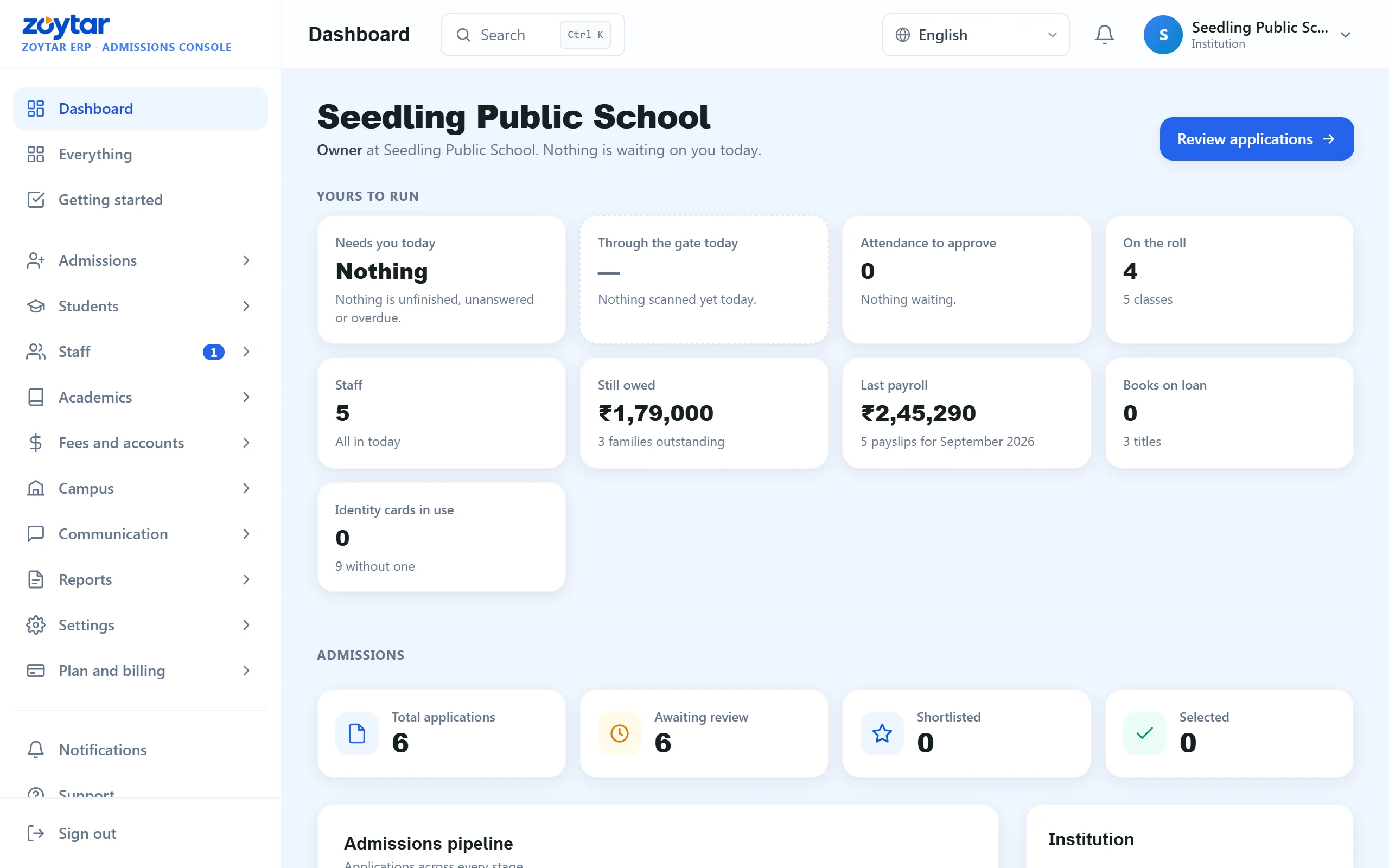
A sample account
How it works
From the first application to the last report card.
Every applicant, and where each one is.
Applications, entrance tests and the merit list in one place, with every family's stage in one list.
- Online applications and fees
- Entrance tests and a merit list
- Waitlists, offers and enrolment
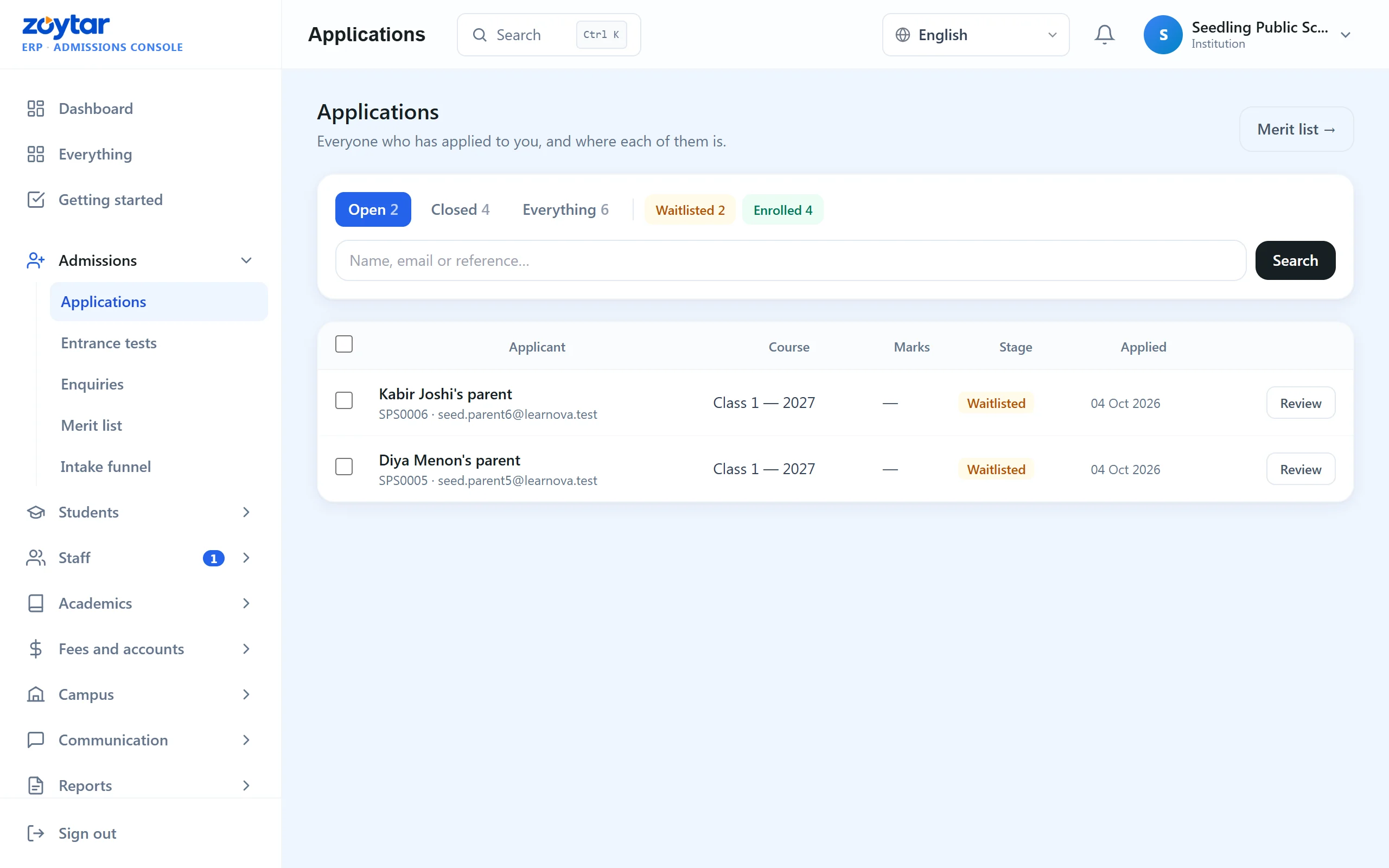
The week, planned once.
Set the shape of the day, then fill the week. A teacher already booked elsewhere at that hour cannot be picked.
- Timetable, cover and substitutions
- Attendance, homework and lesson plans
- Exams, marks and report cards
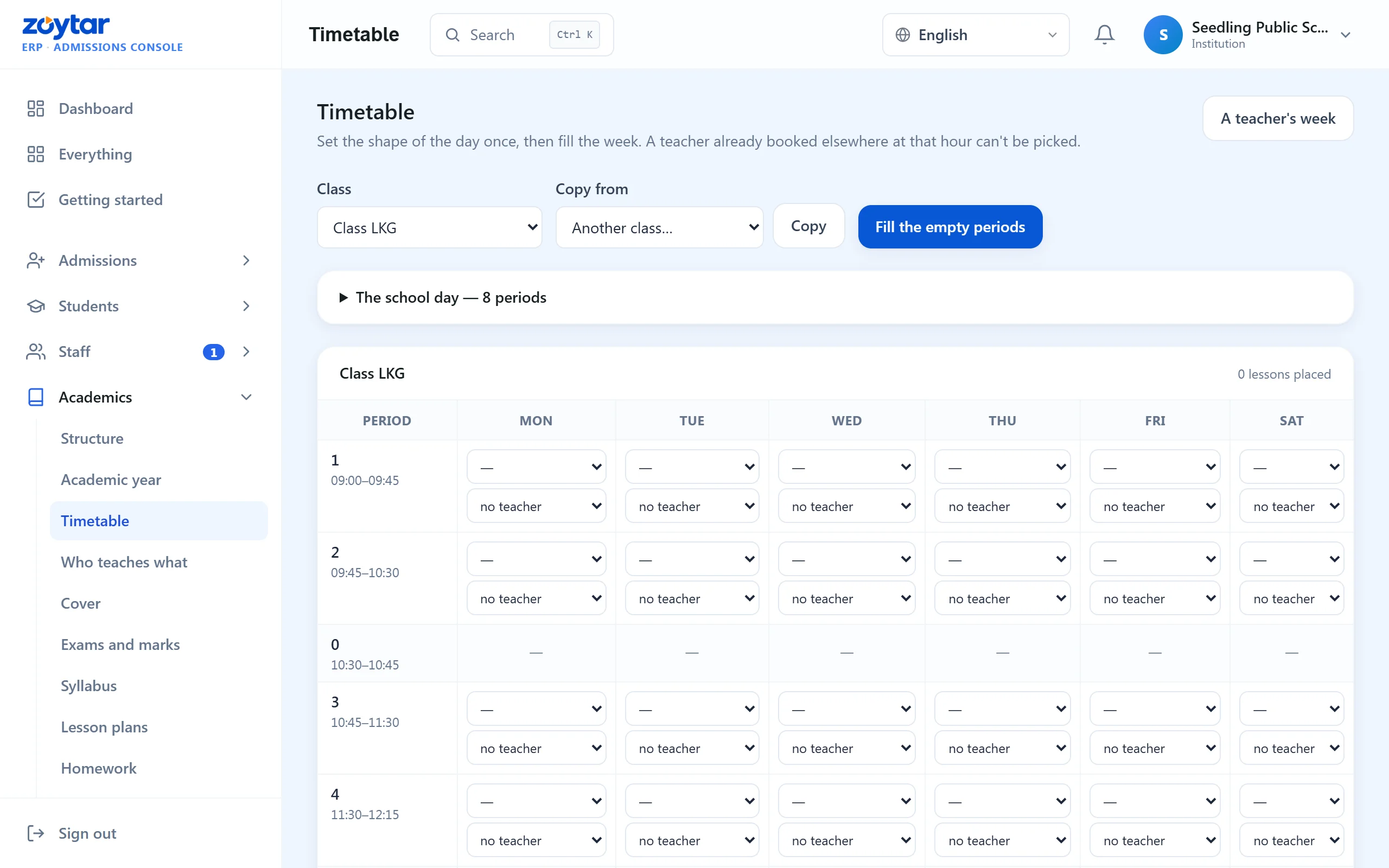
Fees in, every payment accounted for.
Fee plans, concessions and reminders, with a day book of money in and out.
- Fee plans and instalments
- Concessions and extra charges
- Fee reminders to families
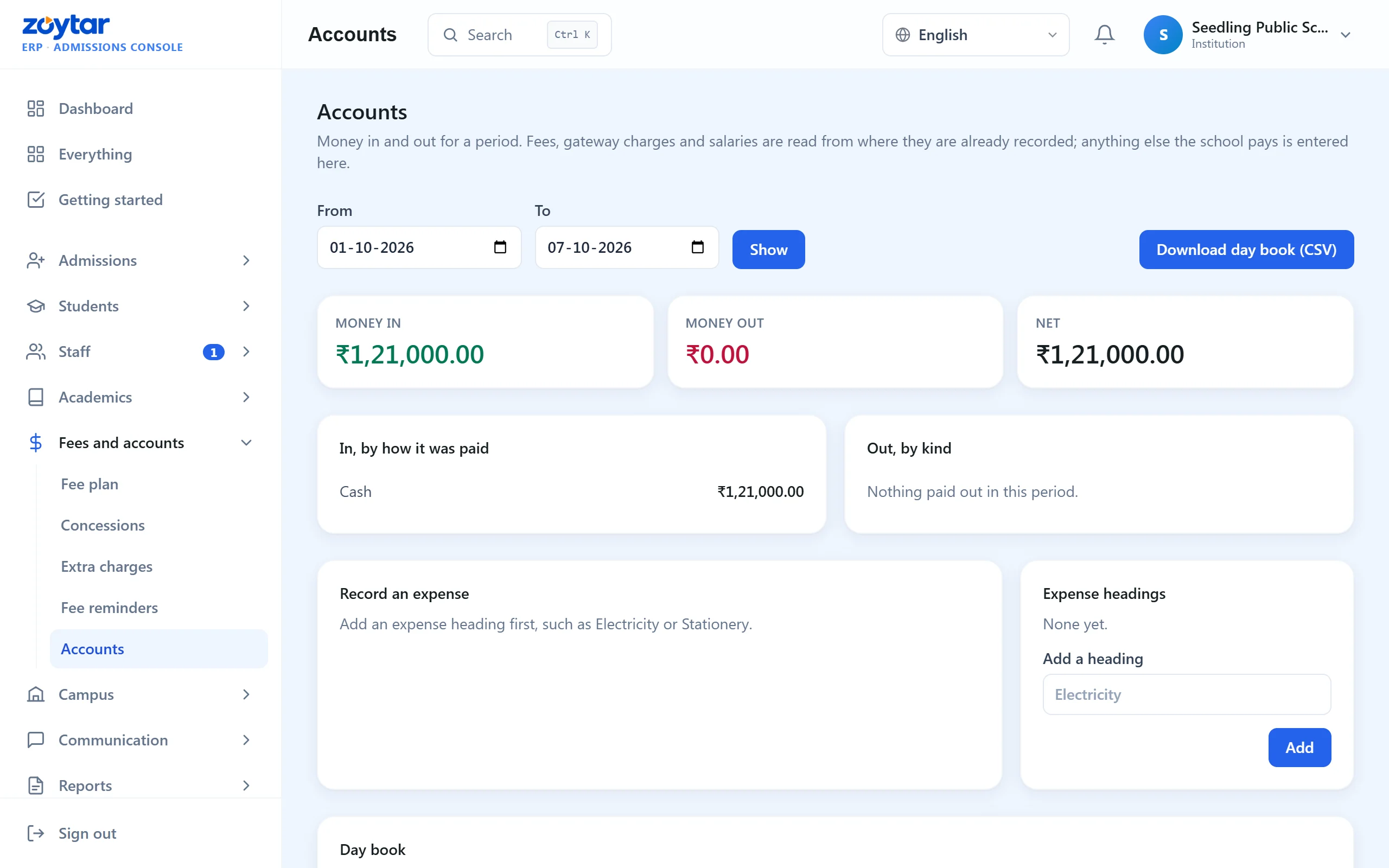
Answers, not spreadsheets.
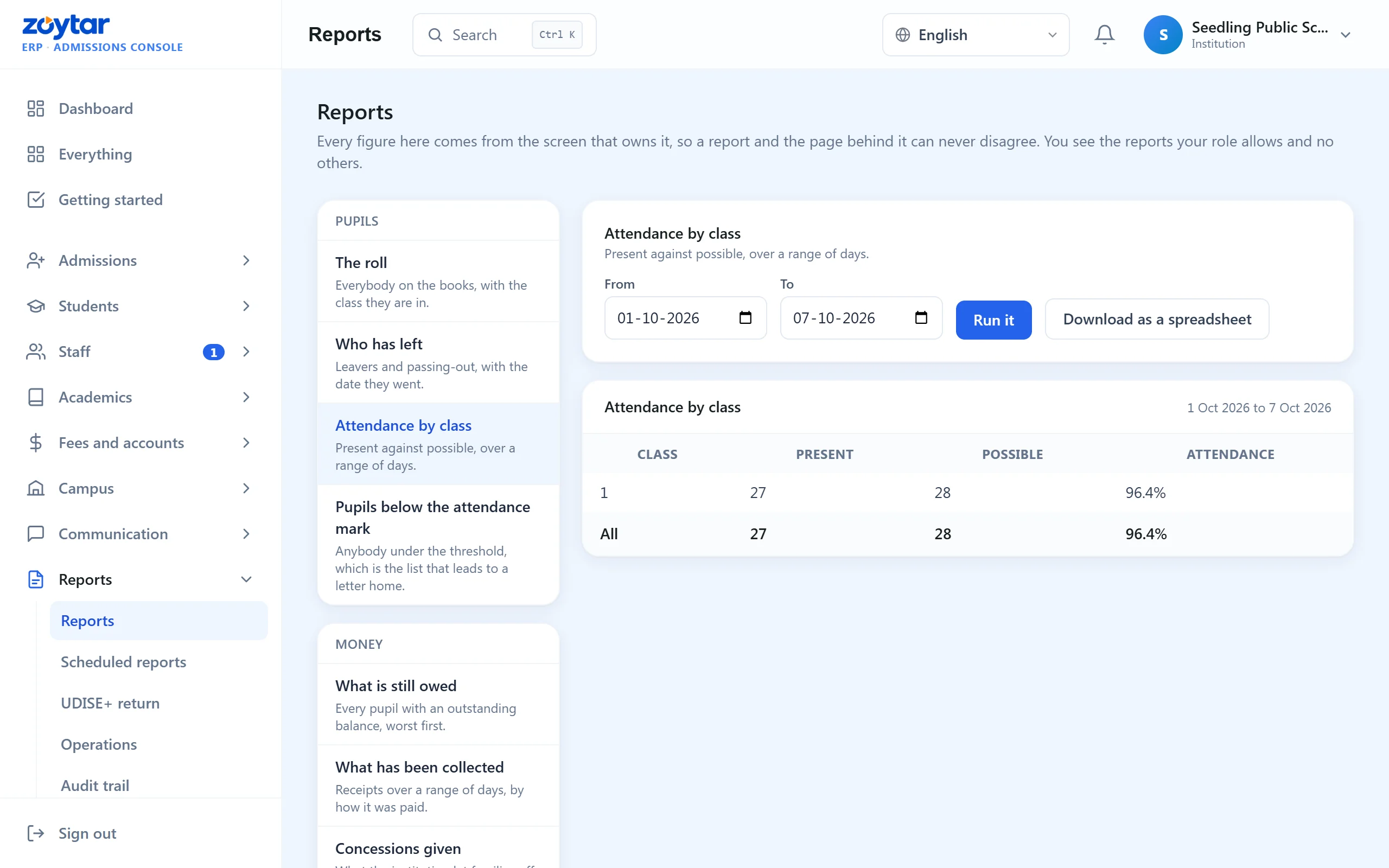
Every figure comes from the screen that owns it, so a report and the page behind it never disagree.
- Attendance, dues and collections
- Scheduled reports
- The UDISE+ return
Who it is for
Every kind of institution, in its own words.
Schools
Admissions, attendance, fees, timetables and report cards on one roll.
Colleges
Applications, entrance tests and merit lists, then the semester.
Coaching centres
Batches, fee plans in instalments and the daily register.
Pre-schools
A simple register, fee plans and messages to parents.
Vocational institutes
Short programmes with their own fee plans and certificates.
Boarding schools
Hostel rooms, health records and gate passes.
The problems it solves
What people tell us, and what zoytar does about it.
“Fees, attendance, timetables and report cards live in five spreadsheets.”
One system for the office, the teachers and the parents, priced per pupil.
“Parents keep calling the office for things they could see themselves.”
A parent portal with fees, homework, attendance, messages and news — in their own language.
“Receipts and dues take the accounts team a week every term.”
Fee plans with instalments, payment from the parent portal, receipts, and a dues list that is always current.
“A teacher is absent and nobody knows which lessons need cover.”
The timetable knows who teaches what, so the lessons needing cover are listed for the office.
“Admission forms pile up on paper.”
Online applications move through clear stages, with entrance tests when you want them.
“Report cards take a week of retyping.”
Teachers enter marks once; report cards and certificates are produced from them.
“We only find out a class is behind the syllabus at exam time.”
Syllabus tracking shows which subjects are behind while there is still time to act.
“Leave, attendance and payroll are three different registers.”
Staff records, leave and payroll sit in the same system as the timetable.
“The bus, the library and the hostel keep their own books.”
Transport, library, hostel and the health room work from the same pupil record.
“Parents never know if their child reached school.”
The gate records arrivals, and parents see the time on their dashboard.
Choosing between platforms? See how zoytar compares →
How zoytar compares
zoytar ERP beside the school ERPs
Every rival fact is taken from that rival’s own website. “Not listed” means their site did not mention it on the day we checked — it may exist elsewhere, so ask them.
| Feature | zoytar | Fedena | MyClassboard |
|---|---|---|---|
| Free for a small school | Yes Start plan: free up to 60 pupils | No 14-day trial | Not listed |
| Every module on every plan | Yes Plans differ in size and support, not in modules | No Modules unlocked by plan | Not listed |
| Priced per pupil, from a ₹30,000 yearly minimum | Yes ₹120 per pupil a year on Grow | Partly ₹50,000 a year plus GST, flat | No Price on request |
| Fees collected online on every plan | Yes Paid from the parent portal | Partly Payment gateway from Premium | Yes Payment integrations |
| The gate, attendance and arrival times for parents | Yes Parents see when their child arrived | Partly Gate management on Ultimate | Partly Safety and security |
| Online admissions | Yes Applications, stages and entrance tests | Yes | Yes |
| A parent portal in Hindi | Yes Fees, homework, attendance, messages, news | Not listed | Not listed |
| Courses and mock tests for pupils, on the same account | Yes Optional, and the school does not see what they buy | Not listed | Not listed |
Read from each rival’s own website on 25 Sep 2026, from India. Plans and prices change; check their site before you decide. All names and marks belong to their owners. Sources: Fedena, MyClassboard
What you get
Everything, on every plan.
There is no module you have to buy separately to make the rest work. What changes between plans is scale and support, not what the product does.
Admissions
Applications, entrance tests, the merit list and how the intake is going.
Students
The register, behaviour, the health room, report cards, certificates, ID cards and alumni.
Staff
People, their attendance, leave and payroll, and what is waiting for you.
Academics
Classes, the year, the timetable, cover, exams, the syllabus, lesson plans and homework.
Fees and accounts
What each class pays, concessions, extras, reminders and the day book.
Campus
Rooms and bookings, the hostel, the front desk, the gate and the store.
Communication
Messages, notices, parent–teacher meetings, the calendar, events, surveys, forms and photos.
Reports
Every report, scheduled reports, statutory returns, operations, the audit trail and imports.
Plan and billing
Your plan, what you pay zoytar, credits, the catalogue and earnings.
Your words, not ours
A college is not a school with older children.
So it does not call your faculty "teachers" or your papers "subjects". Choose what you are when you sign up and the whole product changes vocabulary — every screen, every report, and the certificates it prints.
Credits, SGPA and CGPA exist because a college needs them. Subject-wise attendance against a percentage bar exists because a college is judged on it.
A school says
A college says
Straight answers
What heads actually say when we show them this.
“We have four years of records in spreadsheets.”
Upload them. The importer shows you exactly what it read before it writes anything, links a family to their children, and refuses the whole file rather than importing half of it — because nobody can tell which half arrived.
“Our office manager is not technical.”
Setting up is a numbered list of nine things, in the order they have to happen, and each one says what stops working until it is done. It reads your own records rather than asking you to tick boxes, so it cannot be wrong about what you have already finished.
“A class teacher must not see payroll.”
Roles say who may look, add, change, delete, export and approve, per area of the system. A screen somebody may not open is absent for them, not greyed out — and the rule is enforced at the address, not just in the menu.
“What happens if we leave?”
Export everything as spreadsheets, whenever you like, on every plan including the free one. Your records are yours. A product that has to trap you is one that knows it is not worth staying for.
“Parents ignore email from strangers.”
So send it from your own address. On Run and above you put in your own mail server, and everything — fee reminders, absence alerts, report-card notices — arrives from your own address. Your own branded sign-in page comes with it.
“We already collect fees online.”
Then keep doing it. Cash and online land in the same ledger, instalments are anchored to your own calendar, and what a gateway charged you is shown on the payment rather than quietly deducted from it.
What it costs
Priced by how many students you have.
Not per member of staff, not per module. Counted once a year and held, so admitting a child in September does not change your bill. Within a plan the rate falls as you grow, and it falls only on the students above each band.
Prices are before GST, which is added at 18% when you pay.
60 students
Free
for ever on Start
400 students
₹46,200
a year on Grow
1,200 students
₹1,80,900
a year on Run
| Start Free forever, up to 60 pupils. | Grow Single-campus schools up to about 400 pupils. | Run Established schools, one to three campuses. | Institution Groups, colleges, and anyone with a procurement process. | |
|---|---|---|---|---|
| From | Free for ever | ₹30,000 a year | ₹30,000 a year | ₹30,000 a year |
| Suits up to | 60 students | 400 students | 2,000 students | any size |
| Campuses | 1 | 1 | 3 | Unlimited |
| Support | Help centre | Email, 2 working days | Same working day, onboarding call | Named contact, 99.9% uptime commitment |
| Adds | Everything the product does |
|
|
|
| Your figure | Your figure | Your figure | Your figure |
Termly instalments fall due a fortnight after your own fee collection, so you pay us out of money you have just received. Work out your own figure.
What schools and colleges say
“Fee reminders, receipts and dues reports used to take our office a week every term. Now parents pay online and the accounts are up to date the same evening.”
“Attendance, timetables and exam marks are finally in one system. Teachers enter marks once and report cards are ready without anybody retyping a sheet.”
“Parents see homework, attendance and circulars on their phones, so the calls to the front office have dropped noticeably.”
Built in, on every plan
Safe for your learners. Ready for your IT team.
Practical questions
How long does it take to be running?
Is our data ours?
Who can see what?
Can parents and students sign in?
We have more than one campus.
Does the free plan expire?
Try it with your own records.
Import a spreadsheet of your students and look at your own timetable, registers and fee statements — not a demonstration account with somebody else's data in it.
Under 60 students? Start is free for ever and needs no trial.
Works with the tools you already use
Every one of these is built today. Anything not listed here, we have not built yet.
-
Zoom · Google Meet · Microsoft Teams
Parent meetings and online classes with a link made for you.
On every plan
-
Tally · Zoho Books · QuickBooks · Xero · Sage
Your day book as vouchers and journals your accountant imports.
With Grow
-
Open Badges 3.0
Each certificate you issue, also as a signed credential for a digital wallet or an employer.
On every plan
-
UDISE+
The annual return's figures, worked out from your records, with the gaps listed.
With Run
-
OneRoster 1.2
Your pupils, teachers and classes as the file LMSs and rostering tools load.
With Run
-
Power BI · Excel · Google Sheets
Your reports in your own spreadsheets and dashboards, and sent to your warehouse.
With Institution
-
Your own email provider
Mail to families sent from your own domain.
With Run
-
Single sign-on (Google, Microsoft, SAML)
Staff and pupils sign in with the accounts the school already runs.
With Institution
-
School API
Read-only access for your own systems, with the token owner's permissions.
With Institution
Not quite what you need?
zoytar for Educators
Sell courses and classes on your own terms.
zoytar for Enterprise
Teach the people who already work or study with you.
Comparing all three? Start here. Looking to learn rather than teach? Browse courses.
